
Data Enrichment and Data Activation using HubSpot and Server GTM
| by Analytics Ninja
[Edit: I asked a colleague for some feedback about this post and he shared with me the way that he likes to look at these sorts of issues. Thank you, Mr. You Know Who You Are If You're Reading This, I'm quoting you below, even though I'm not normally too much of a "McKinsey Guy"].
Situation:
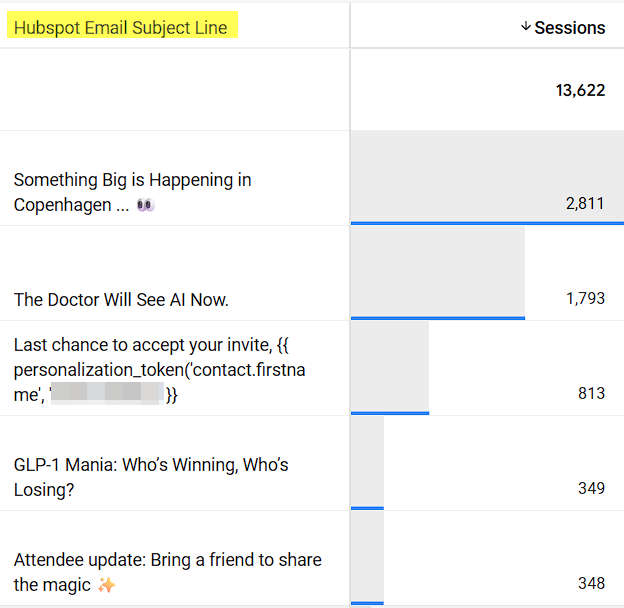
One of the challenges that one of our clients faced was a lack of visibility into their HubSpot campaigns' performance in Google Analytics. They run dozens of HubSpot email campaigns each month, but GA4 cannot tell them which subject lines or audiences actually drive pipeline. They want to be able to analyze data to answer questions such as, "which job roles and company types drive revenue?"
Complication:
UTM parameters alone miss the HubSpot contact and campaign metadata they need, so optimization is guess-work and budgets are misallocated.
Resolution:
In order to build infrastructure capability to enrich data and activate data from HubSpot into downstream systems like GA4 and Google Ads, we leveraged the HubSpot API and Cloud Firestore. By pipelining HubSpot data through AirByte into BigQuery and ultimately making it available to Server GTM, every GA4 hit now carries the Lead Score, Company Type, and Campaign Information, unlocking subject-line testing, audience suppression, and better ROAS reporting.
The reason why the solution below is exciting to me is because it leverages technology to do something very practical (and not just using technology for its own sake).
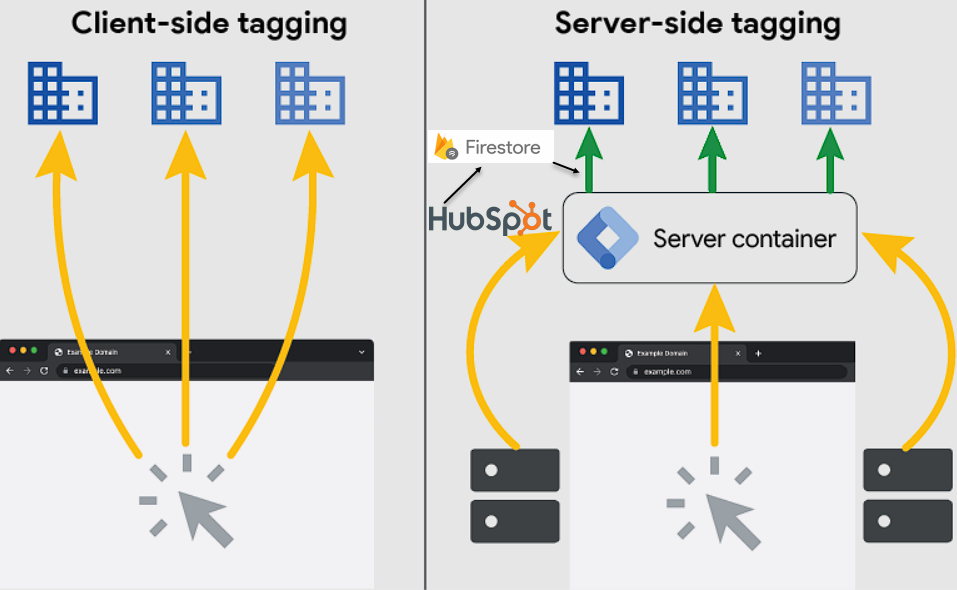
Here is a mapping of the data flow.

In other words, our objective is to make HubSpot data available to the Server GTM container so that we can add that data to tags in real time. I'll break down the steps then provide some examples of the outputs.
First, you'll need to build a custom Private App within HubSpot. This will provide you with the Access Token that you'll need when configuring AirByte. The instructions for how to do everything and how to configure access scopes are documented in a very clear way via AirByte.
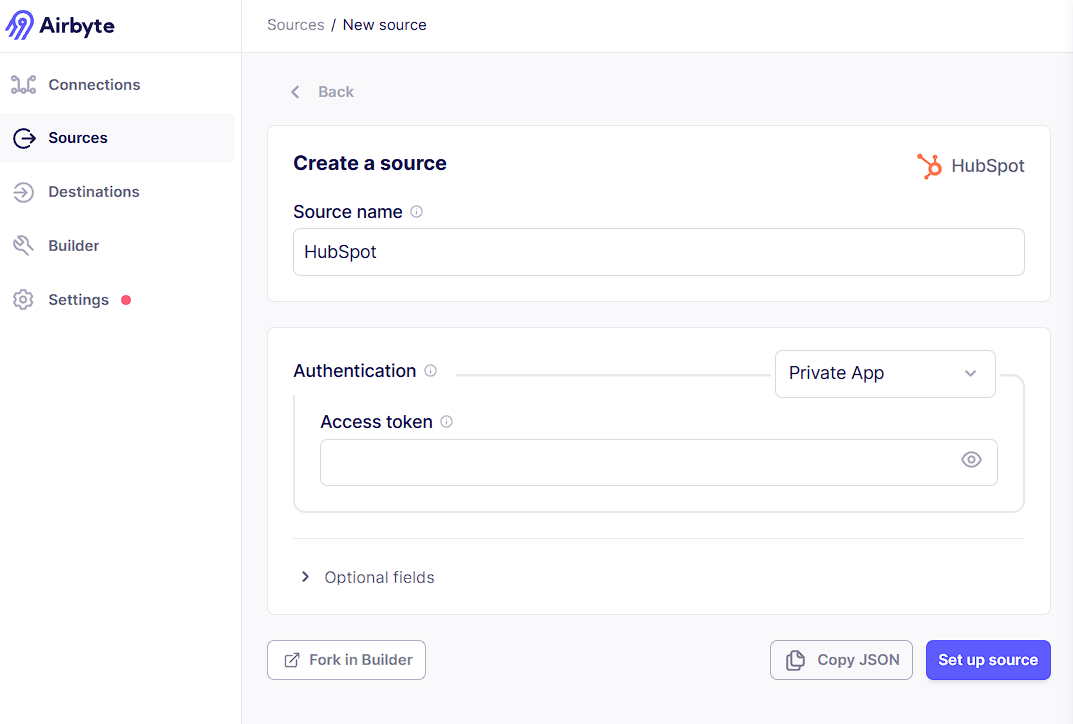
We're currently running AirByte via the Open Source Version on a Virtual Machine within GCP. Getting this stood up is relatively easy and the connectors are quite reliable (and updated often due to the very strong community of developers who support AirByte). The amount of compute you'll need to run AirByte will depend on how much data you need to sync. Our current VM for these purposes costs about $9 a day. Airbyte can also be stood up on a Kubernetes Cluster.
Setting up AirByte to grab the data and write it into BigQuery is quite easy. Just follow the instructions in the UI and the process is seamless.
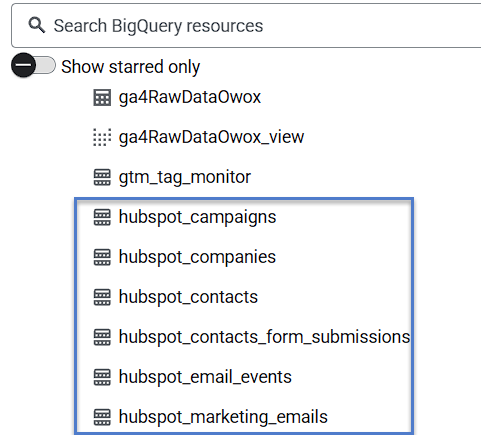
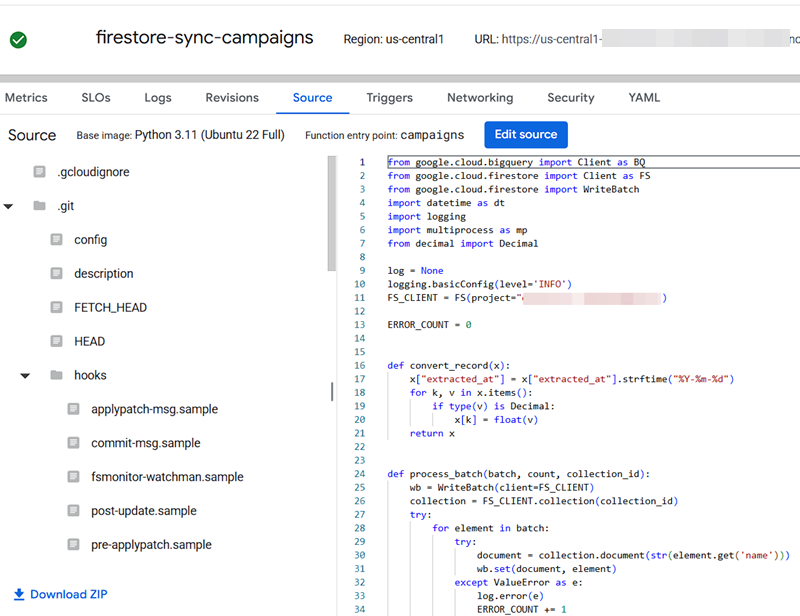
Once the data is in BigQuery, we need to get the data synced with Firestore. While AirByte does have a FireStore destination available, our developers decided to use a Cloud Function. Currently, we sync this data every 4 hours.
For our business use cases, we are currently syncing the Campaigns, Companies, and Contacts tables. Using a Firestore Lookup variable in SGTM is pretty easy. One "gotcha" can be if your SGTM container is running over a Cloud Load Balancer. As such, we recommend always manually setting the Project ID where your Firebase collections exist as an extra safeguard.
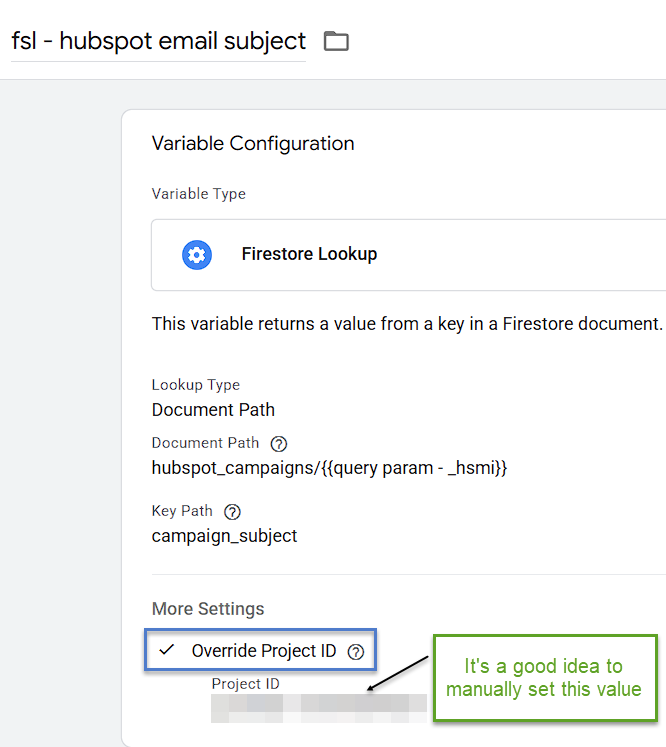
If you take a look at the Document Path listed above, for the Campaigns Table we're going to grab the value from the _hsmi URL query parameter. Please note, this is not the same value as the native SGTM variable called Query Parameter. You'll need to extract this from the URL (we use a custom template from Episodic called Extract URL Component which works quite nicely grabbing the value from the page_location event data that is present on GA4 hits).
The flow in the browser is like this. When the user clicks on an email, HubSpot automatically adds a _hsmi= url query parameter for it's own tracking purposes to the URL.

In SGTM, the _hsmi value serves as the lookup for our Firebase Collection. Simply by having the variable present in a tag, the value is returned in a realtime lookup.
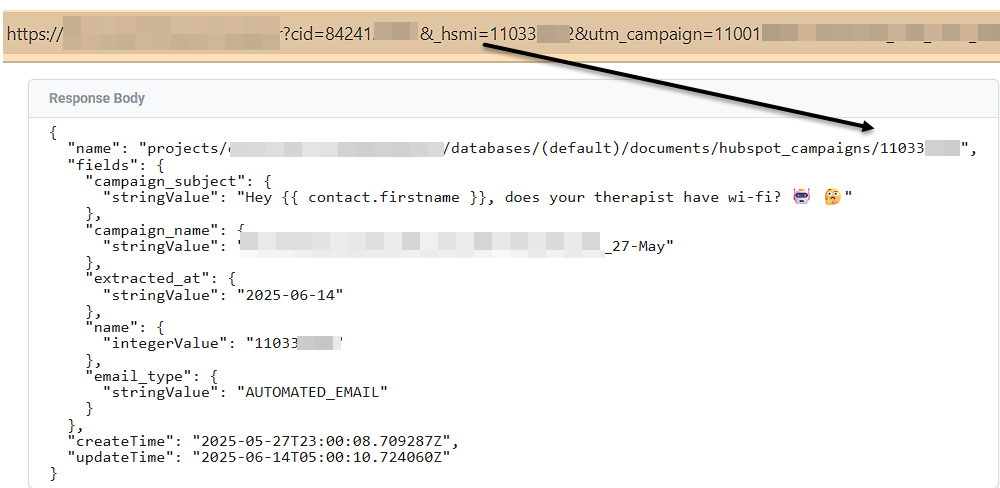
In the Firestore Lookup Variable, the value for the "Key Path" becomes the value returned by the variable.
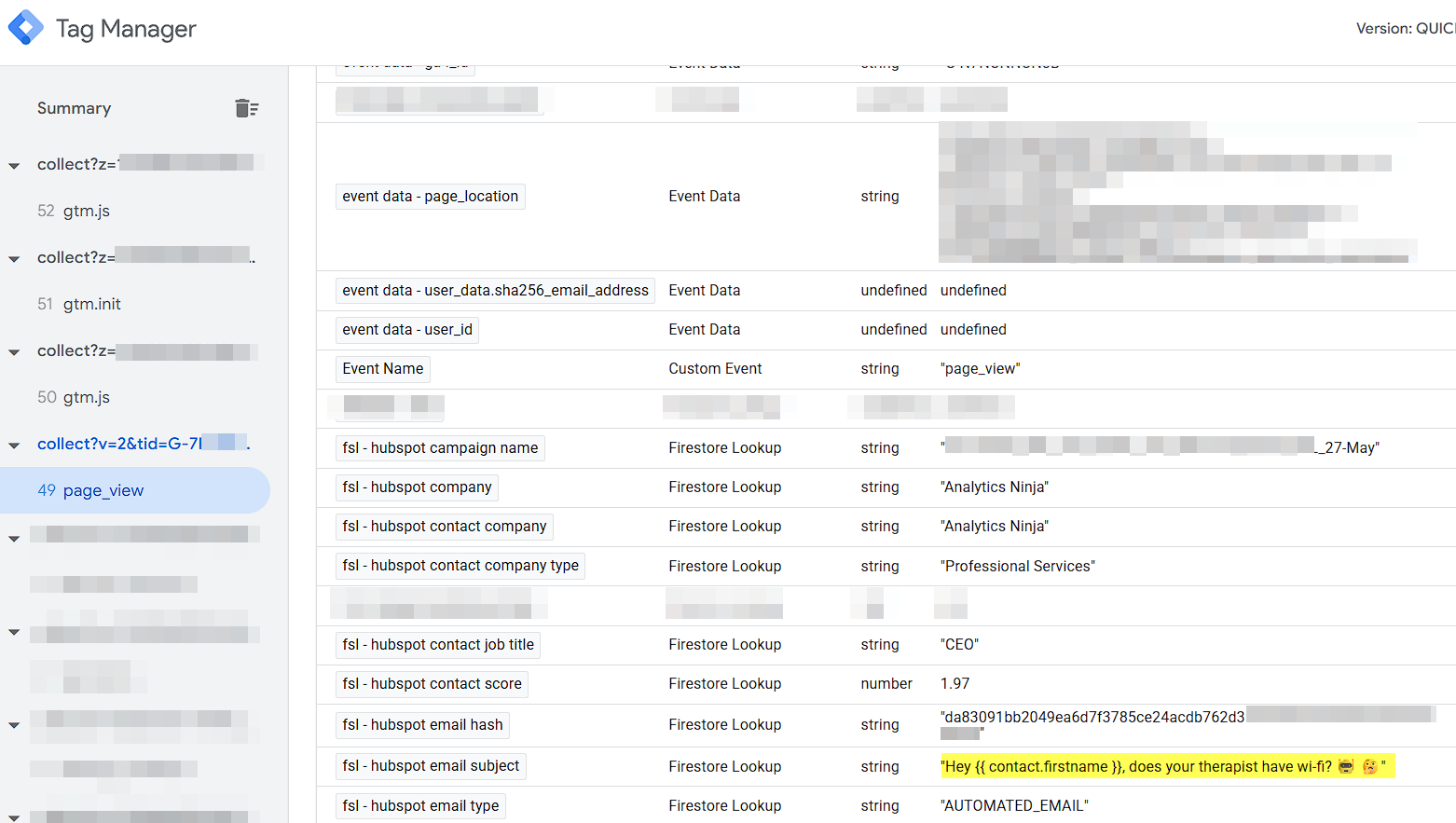
You'll also notice in the list of variables above, we're returning information about me as well, in this case my Company Name, Company Type, Hashed Email, and Contact Score. In order to do this lookup, you'll need to add the HubSpot Contact ID to your links. This is a manual process and you'll need to do it for all links in your emails, but it's probably worth the extra work since you'll have all of your meaningful HubSpot CRM data available for each user who clicks on an email.
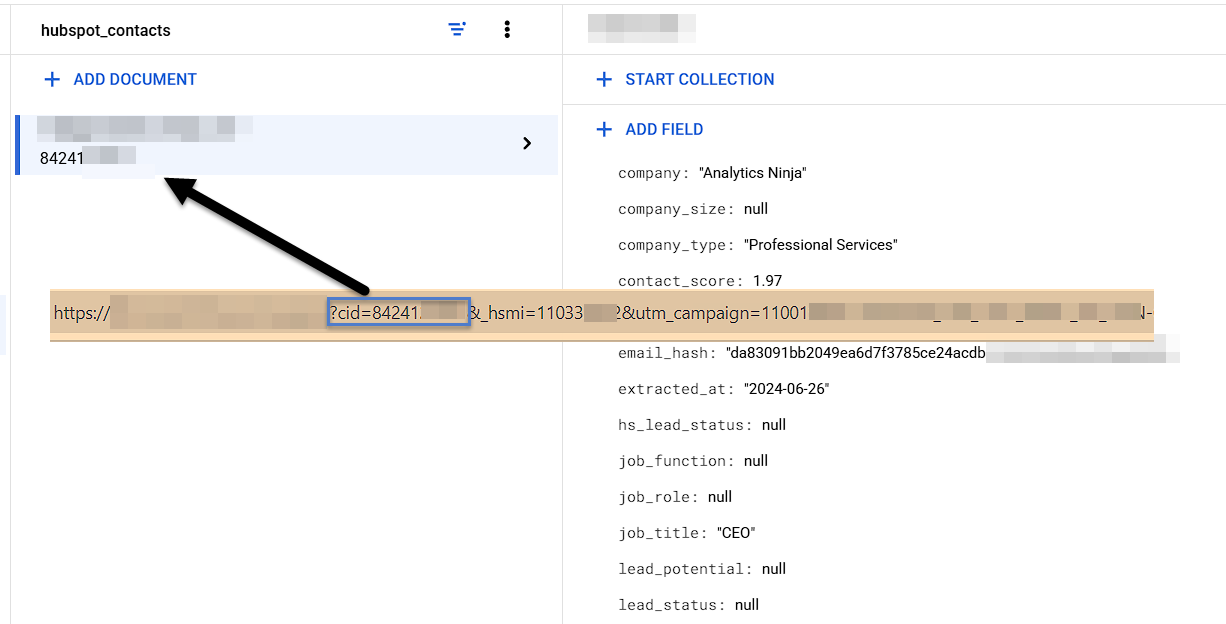
All of this data is then added to the GA4 tag for real time enrichment.
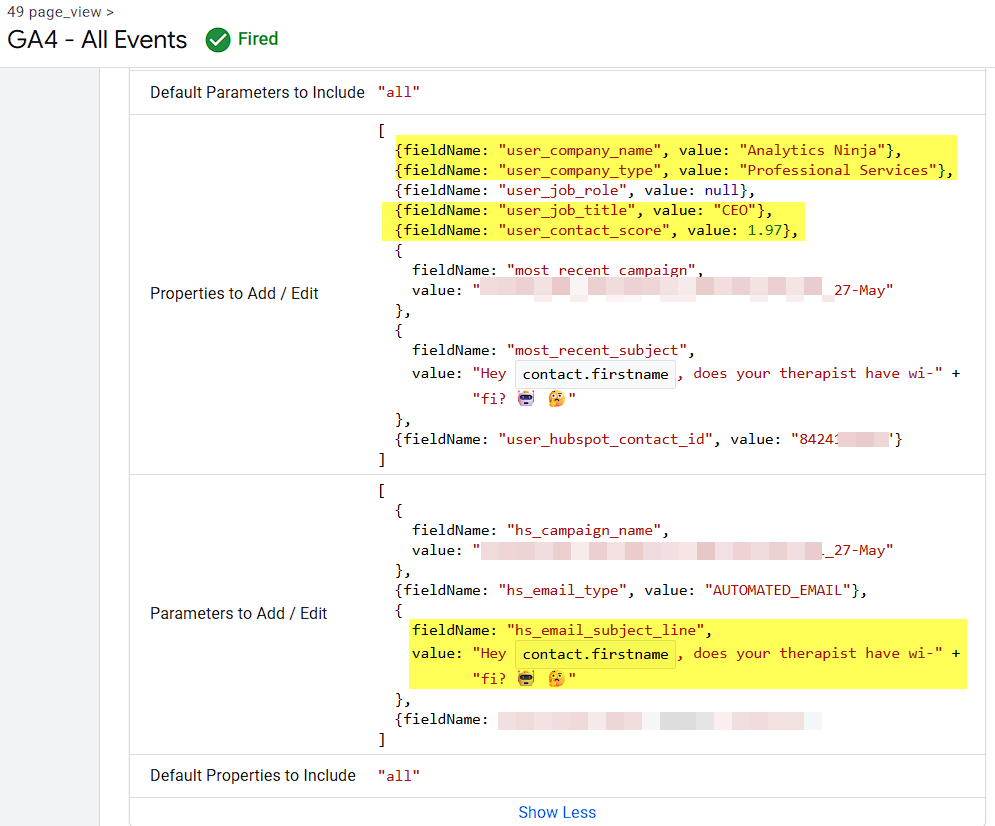
Now that the data is "at our finger tips" via the Firestore Lookup variable, realtime enrichment and data activation is also out our finger tips.
Please share any questions or comments below in the comments section.